How to Write Better Lesson Notes
How to write better lesson notes
Picture this: a student arrives at their lesson. You ask how the Etude went this week. "Good," they say. You ask them to play it. It sounds exactly the same as last week. "Did you look at bars 22 to 28 like I asked?" Pause. "...I think I practised it?"
The notes were written. They just weren't useful enough to matter.
What you do in your lessons is super important. But what the student does at home is more important. How you get them to do what they need to do is where lesson notes come in. But there are average lesson notes and then there are great lesson notes. Great lesson notes are ones that make it impossible for the student to not know what to do. Great lesson notes are ones that don't get ignored. Or at the very least, if they are ignored, they have no excuse about not knowing what to practise. Here's how to make lesson notes actually work.
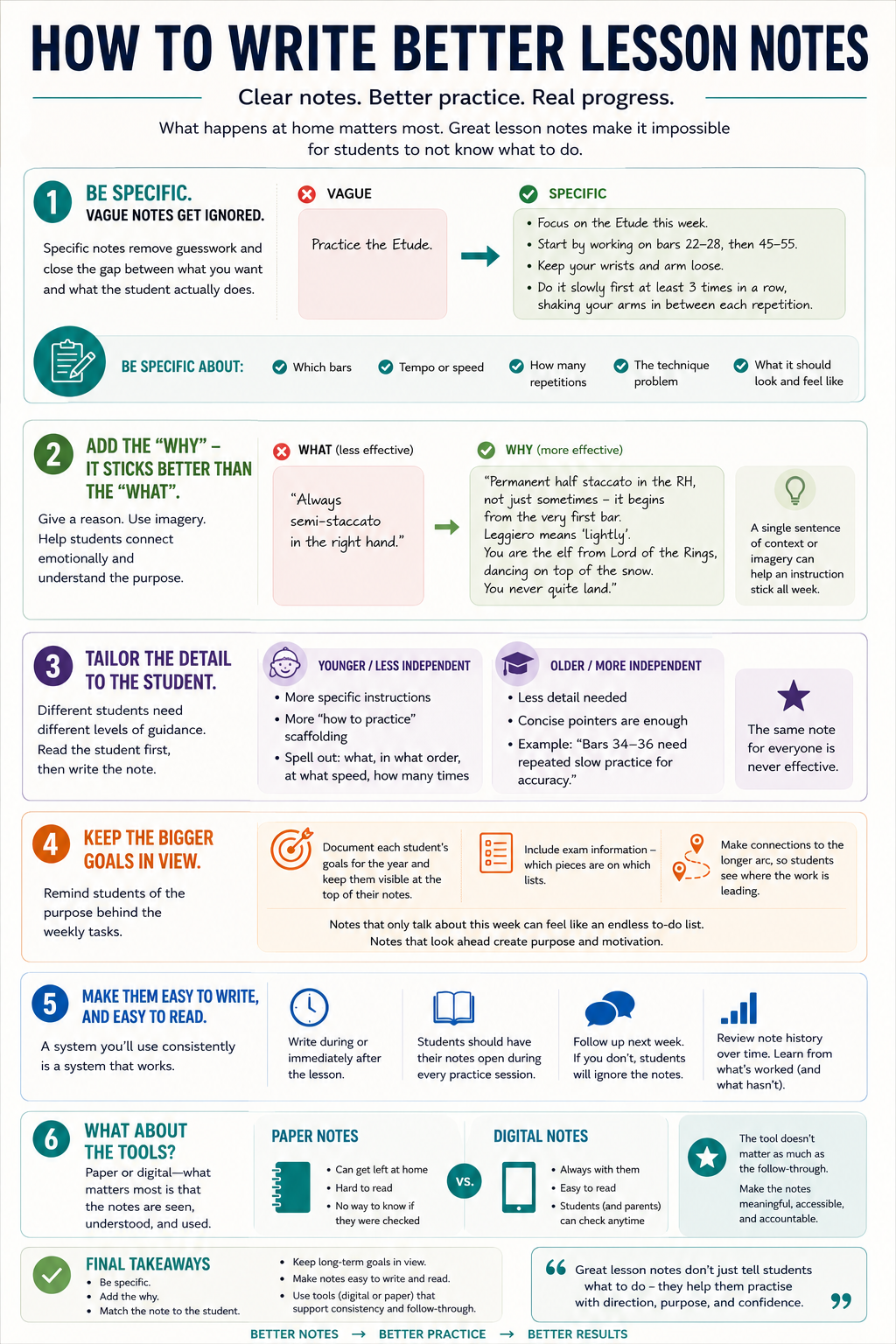
Be specific. Vague notes get ignored.
This is the single biggest thing you can do to improve the quality of your notes. I wrote about this in Improving Student Practice at Home: there's a world of difference between "Practice the Etude" and "Focus on the Etude this week. Start by working on bars 22-28, then 45-55. Keep your wrists and arm loose. Do it slowly first at least 3 times in a row, shaking your arms in between each repetition." One tells the student to do something. The other tells them how to do it.
When notes are vague, students fill in the blanks with the path of least resistance - usually a run-through from start to finish and calling it practising. Specificity closes that gap.
In practice, this means: name the bars, not just the piece. Give a tempo marking or say "half-speed", not just "slowly". Say how many repetitions before moving on. Describe the actual technique problem and what solving it looks and feels like. Not every note needs to be exhaustive, but it should always be clear enough that a student can sit down at home and know exactly where to start and what to do.
Add the why - it sticks better than the what
Instructions are easier to remember and act on when students understand the reason behind them.
Compare these two notes about the same problem:
"Always semi-staccato in the right hand."
vs
"Permanent half staccato in the RH, not just sometimes - it begins from the very first bar. Leggiero means 'lightly'. You are the elf from Lord of the Rings, dancing on top of the snow. You never quite land."
The second note does something the first doesn't: it gives the student a picture to hold onto. They're not just trying to remember a technical instruction in isolation - they've got a feeling and an image attached to it. For younger students especially, that kind of vivid language makes a real difference in whether the instruction gets applied during the week or quickly forgotten.
You don't need to write a paragraph every time. A single sentence of context or imagery can be enough. The point is that the student leaves the lesson understanding why something matters, not just what to do.
Tailor the detail to the student
Not all students need the same level of guidance. Adult learners in particular often respond differently to written feedback and practice structure than children do. Why Adults Learn Piano (and What That Means for How You Teach Them) explores some of those differences.
Younger students, or those who are still building their practice habits, generally need more: more specific instructions, more how-to-practise scaffolding, more structure in the note itself. For these students, spelling out every element - what to work on, in what order, at what speed, how many times - is genuinely useful.
Older, more independent students who already have strong practice instincts don't need every step spelled out. A concise pointer - "bars 34-36 need repeated slow practice for accuracy" - is enough for someone who knows what to do with it.
The mistake is writing the same note for everyone. A very detailed note given to an advanced student can feel patronising. A brief note given to a beginner is useless. Read the student first, then write the note.
Keep the bigger goals in view
At the start of every teaching year, I document each student's goals for the year and pin them to the top of their notes - so that they're there every time we open their notes together. When a student is preparing for an exam, I include which pieces are on which lists. When something we're working on connects to a longer arc, I'll make that explicit.
Notes that only ever talk about this week's tasks can start to feel like an endless list of boxes to tick. Notes that also point towards where we're heading give students a sense of purpose, and remind them that the repetitions and the slow practice and the careful fingering are all going somewhere.
Make them easy to write, and easy to read
The best lesson note system is one you'll actually use consistently. If it's cumbersome to write, you'll start skipping it. If it's hard for students to find, they won't read it.
A few things that make a real difference: write during or immediately after the lesson, not from memory later - even a rough note written while the student is still there is better than a polished one written an hour later. Make sure students know they're expected to have their notes open during every practice session, and that you'll follow up next week. And then actually follow up. If you don't circle back to what you wrote, students quickly learn that the notes are optional. Consistency from your end creates consistency from theirs.
Looking back over a student's note history over time is also worth doing occasionally. It tells you what's been stubborn, what's genuinely improved, and where you've been having the same conversation for months. That kind of long-term picture can shift how you teach a student.
What about the tools?
If you're working from paper lesson books, you already know the problems: books get left at home, parents can't read the handwriting, and there's no way to know whether the note was ever opened.
Going digital solves the access problem - a note written on your end is immediately visible to families on theirs. If you regularly teach away from a desk or move between teaching locations, Octavia on Your Phone: The Mobile Teacher View Is Here explains how lesson notes and attendance now work on mobile. There's also a practical writing benefit: if you're a fast typist, you can get a genuinely detailed note down in the time it used to take to write three lines by hand. And if typing isn't your strong suit, most text editing programs now support audio-to-text transcription - you can speak your notes at the end of the lesson and let the software do the rest. Either way, the barrier to writing thorough notes gets much lower.
For straightforward digital options, a shared Google Doc works well for many teachers - simple to set up, accessible on any device, and easy for families to find. Notion is another popular choice, particularly if you like being able to organise notes with more structure, tags, or templates across your whole studio.
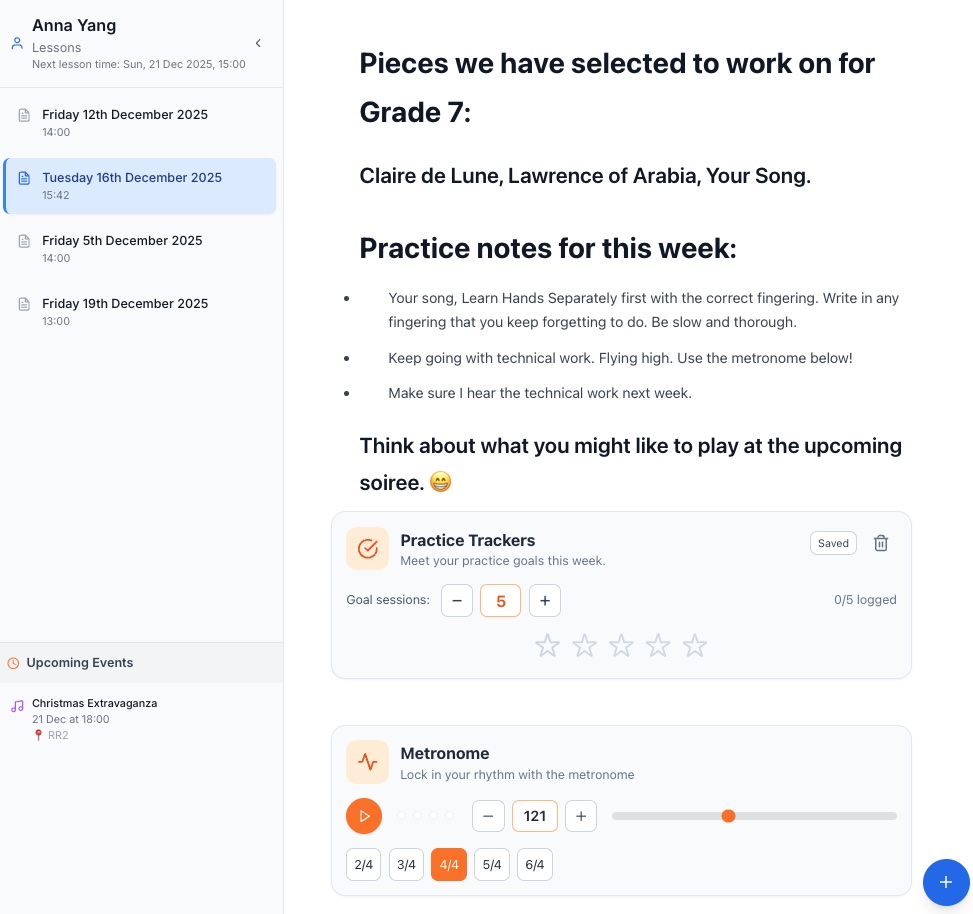
If you want something purpose-built for music teaching, Octavia's lesson notes go a step further. Beyond the writing space, you can embed interactive tools directly into the note - a practice tracker the student ticks off across the week, a practice bingo card, a dice tool that randomises what they work on, games, recordings, YouTube links, and more. The notes and the core interactive tools are available on a free account, so it's worth trying even if you're not ready to commit to a full subscription.
Good lesson notes are ultimately about one thing: making sure that what you do in the lesson actually gets practised at home. The more clearly and specifically you can communicate - and the easier you make it for them to access and act on what you've written - the more your notes will actually do the work they're supposed to do.