
Group lessons that manage themselves*
*Well, you still have to do the teaching. You get to keep the fun bit.
Add a student to a group, and every future lesson updates instantly. Remove one, and it does the same in reverse.
You don't need to rebuild the timetable, or manually edit each upcoming lesson list. Octavia handles the scheduling side of group teaching so you can focus on running it — and gives you the billing flexibility to charge groups your way, not the software's way.
Drag a student in. That's the whole job.
Add a student to a group from the group's detail page, or drag them onto a group slot from your master student list. Either way, they're in — and Octavia does the rest: making sure they're added to all upcoming lessons in the calendar, making them part of the next invoicing run, and including them in your group membership list.
Add a member
As soon as a student joins a group, they're automatically added as a participant to every one of that group's future scheduled lessons. Their calendar, their family's Hub, and their lesson list all update immediately — you don't touch a single existing lesson.
Remove a member
Removing a student works the same way, in reverse. They come off every future lesson for that group automatically. Lessons that already happened are left exactly as they were — history doesn't get rewritten because someone left the group.
Built for schools where the roster doesn't map neatly
Some students are in a group only, with no individual lesson at all. Others sit in a group and take individual lessons with the same teacher. Octavia's Manage Students view shows your whole school roster and lets you drag any student onto any individual slot or any group — so nobody falls through the cracks just because they don't fit a simple one-teacher, one-student model.
In multi-teacher studios, this extends across the whole school: admins can manage every teacher's groups from one place, the same drag-and-drop way.
Autoplays muted. Click the expand icon to view larger.
Bill your groups the way you run them
Every studio treats group attendance differently. Octavia doesn't force one philosophy — it gives you four billing models, set once at the group level, so every member is billed consistently under whichever approach fits your studio.
Calendar-based
Bill for what's scheduled. Every group lesson in the calendar for the billing period is charged at the group's rate, for every member, whether or not they showed up. Simple and predictable — if you want flexibility for individual absences instead, that's what lesson packs are for.
Flat monthly fee
A simple, predictable rate per member, per month — regardless of exactly how many lessons land in that period. Set it once on the group's contract and every member is billed the same way.
Term / semester
One invoice per term, calculated from your term dates. Set the term length once, and every member is charged for the whole term in a single invoice — no monthly cycle to think about.
Lesson packs
Each member buys their own block of prepaid credits for the group. No shared pool — one student's credits never cover another student's lesson. Whether a credit is used is decided by that student's own attendance outcome, not simply whether the lesson happened — so one family can have flexibility around an absence while the rest of the group is billed as normal.
And they mix, automatically
A student can be in a group billed one way and take individual lessons billed a completely different way with the same teacher. Octavia works out each enrolment's charge under its own rules and puts everything relevant on that student's single invoice — separate line items, one bill, no manual reconciling.
One lesson. Different outcomes for different people.
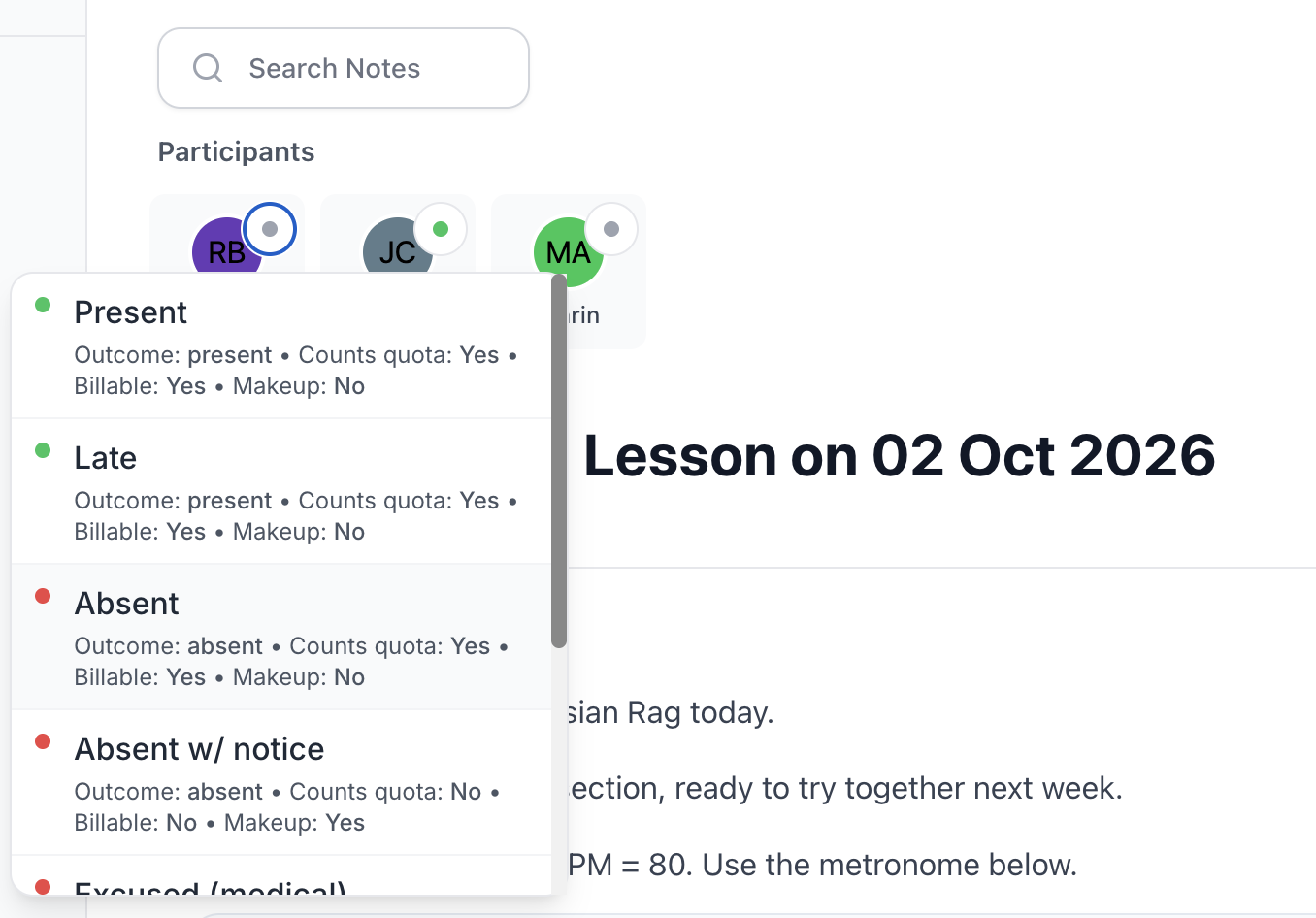
Attendance in a group lesson is recorded per student, not per lesson. So in the same session, one member can be marked present, another absent with notice, and another absent without — each with its own outcome.
When you use lesson packs for your group billing, this is what makes real billing flexibility possible. Whether a lesson pack credit gets used is decided by each student's own attendance status, not by whether the lesson took place.
You control what counts as billable directly in your attendance settings — so you decide, per outcome, whether a missed lesson costs a credit or not. Set it once, and Octavia applies it consistently every time.
| Student | Credits before | Attendance outcome | Billable? | Credits after |
|---|---|---|---|---|
| Mia | 5 | Present | Yes | 4 |
| Theo | 5 | Absent with notice | No | 5 |
| Priya | 3 | Absent without notice | Yes | 2 |
All three students are scheduled to be in the same lesson, on the same day. Their credit outcomes are entirely independent — decided by their own attendance status and your studio's own rules for what counts as billable. If you'd rather not offer this flexibility at all, use one of the three other billing types.

Ensembles and Bands
Manage your ensembles and bands easily alongside your lessons
A theory class or a same-instrument group class is one kind of group. A band or an ensemble is another — where every member might be playing something different. Octavia supports both.
Set a group up as a standard lesson group when everyone shares one instrument, or as an ensemble when each member has their own. In an ensemble, every student keeps their own instrument on their group membership, so a large ensemble roll can be marked quickly by instrument grouping.
One note the whole group sees.
Plus private notes for each student.
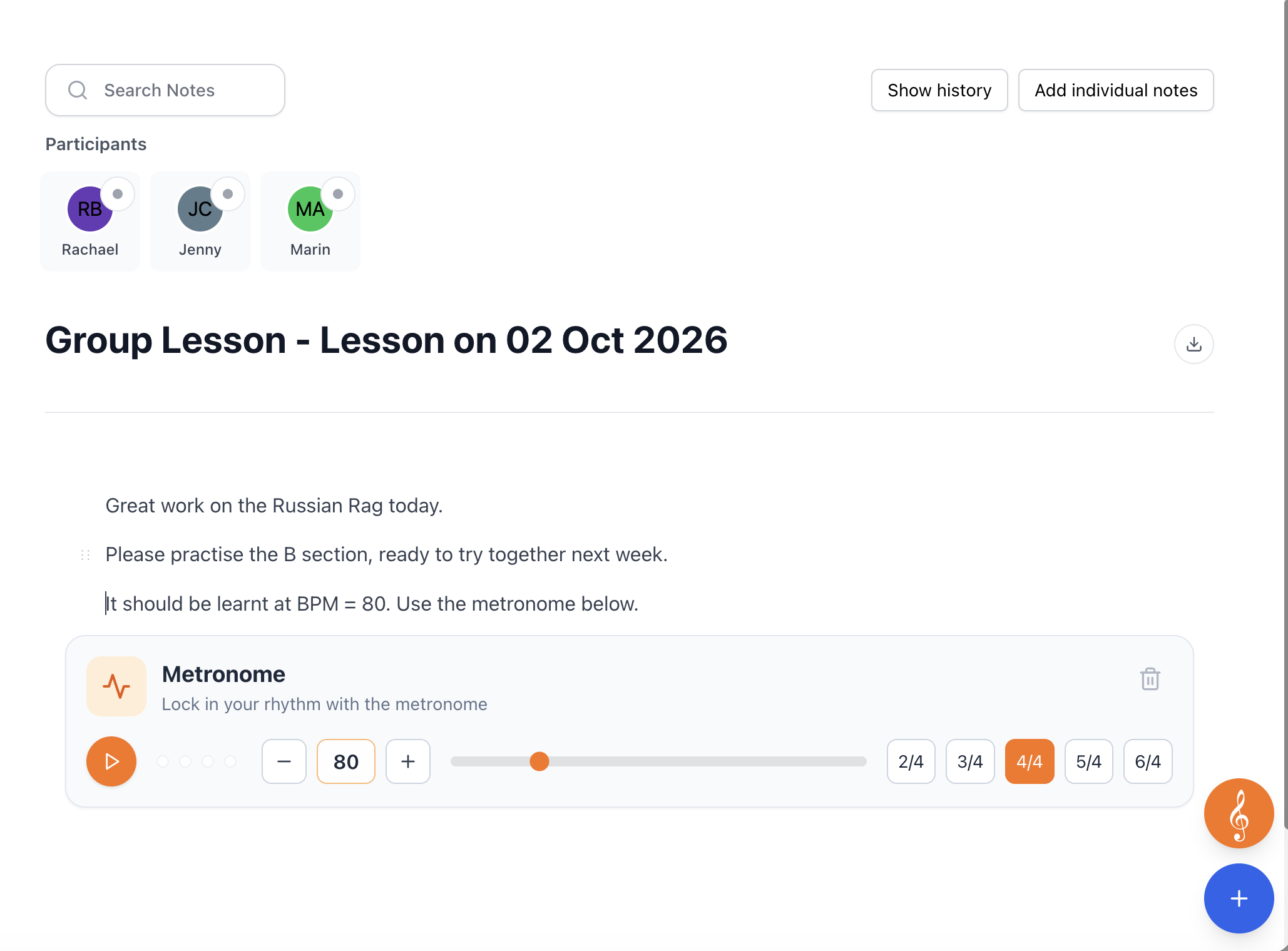
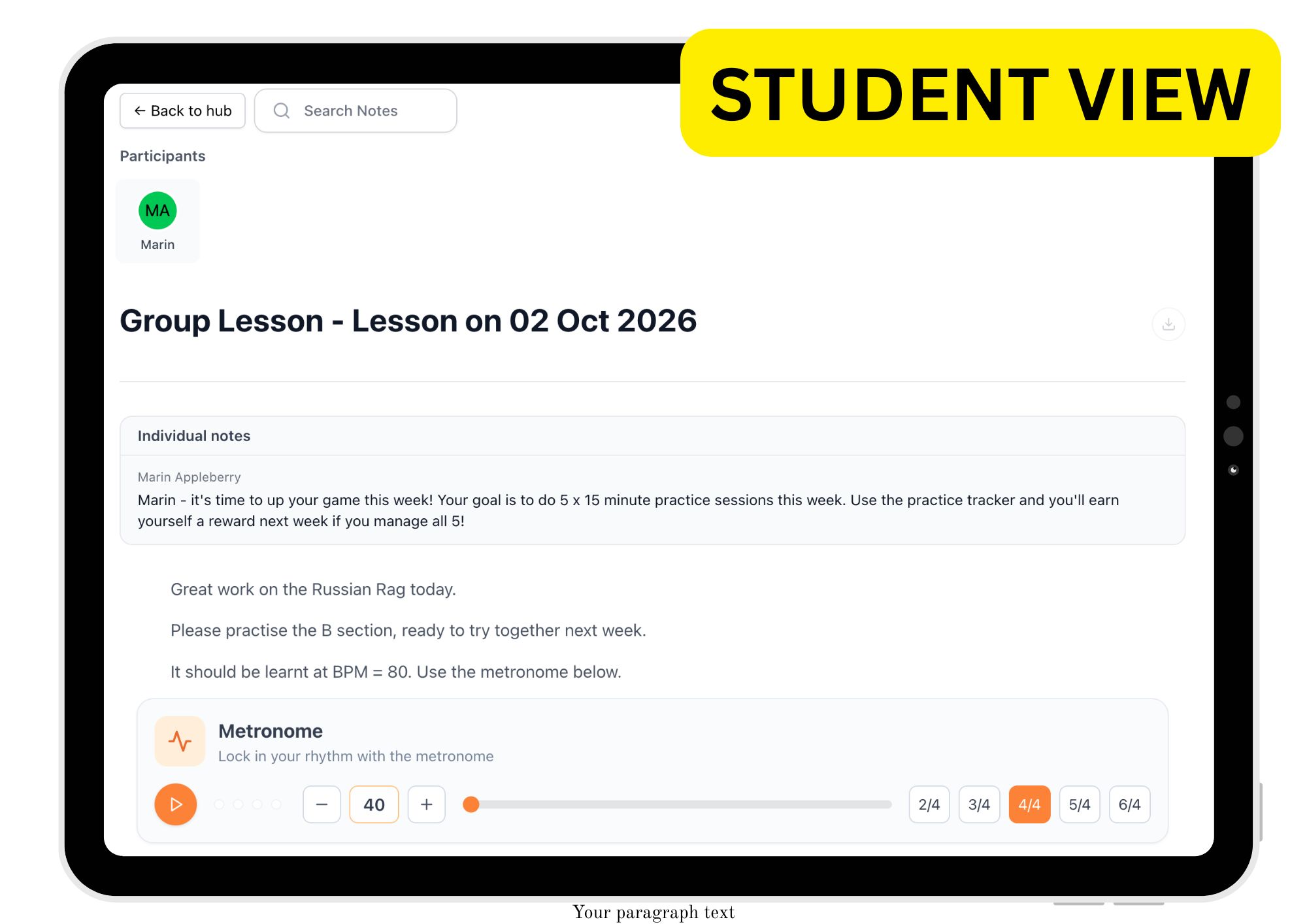
Every group lesson has one shared note — what you covered, what's next, any homework for the whole group.
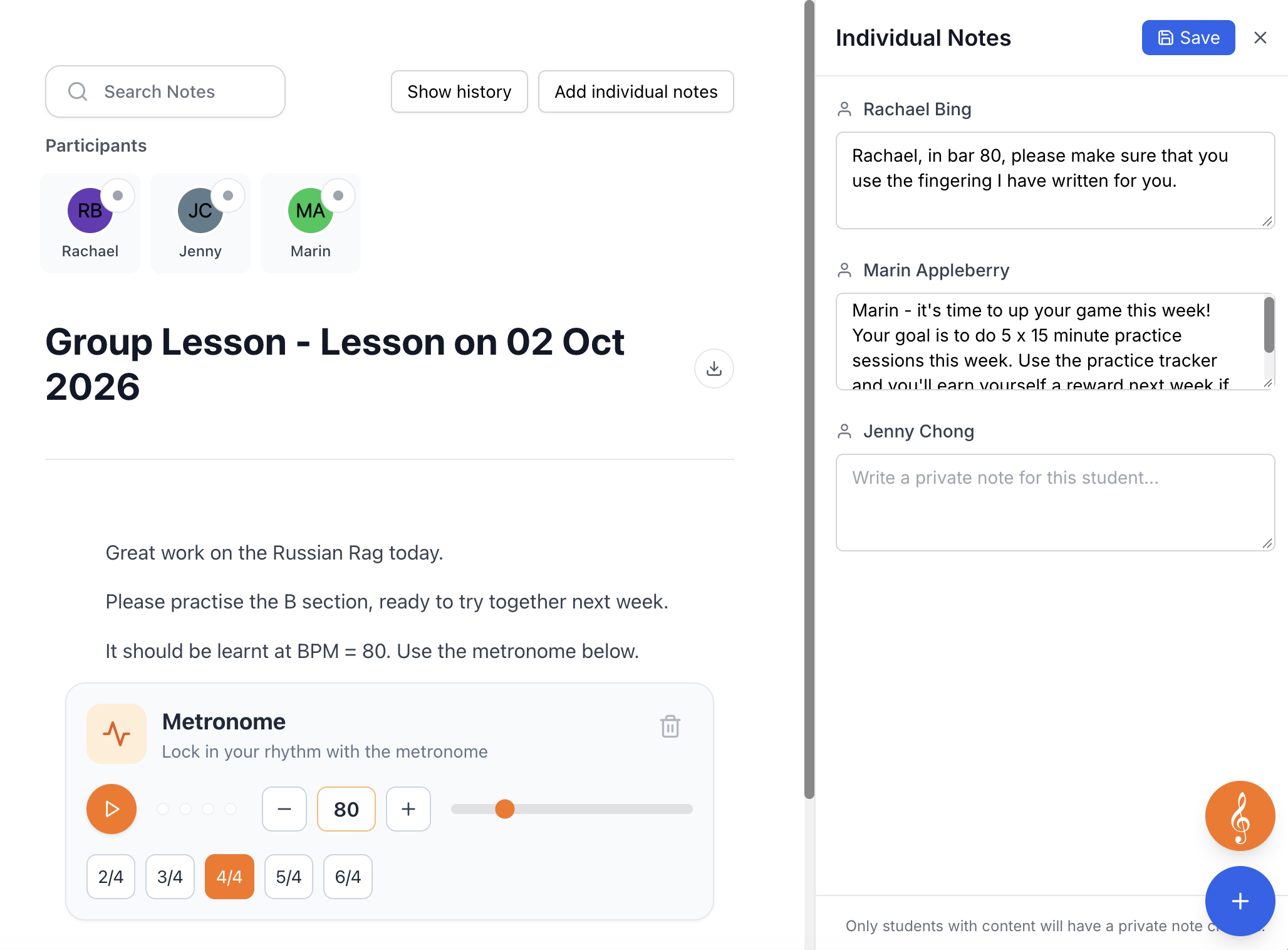
But group teaching almost never means identical feedback for everyone. So alongside the shared note, you can open an individual notes panel and write a short private note for any one student in the group. Only that student's family sees it — the rest of the group never knows it's there.
Set up your first group in minutes
Create a group, drag in a few students, and see how little work it takes to keep it running.