How to add a student in a single teacher studio
studentssingle teacher studio
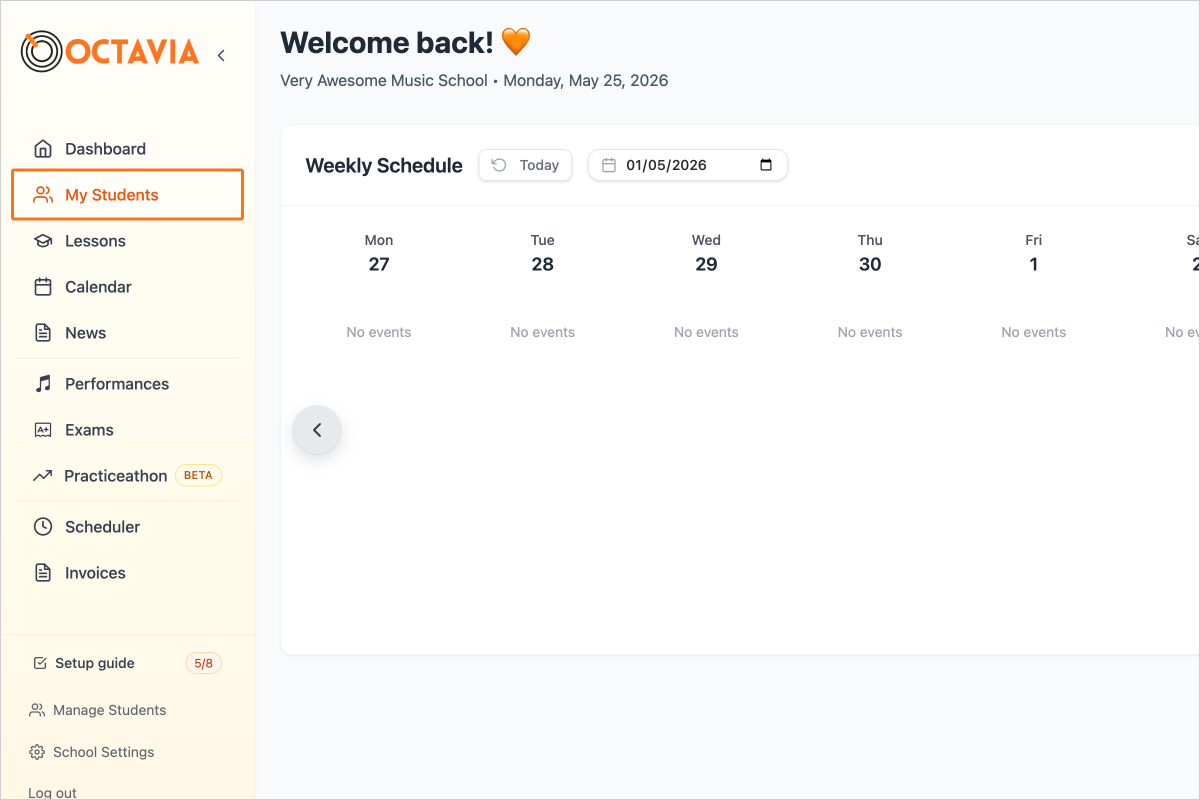
Step 1 — Click on My Students in the sidebar.
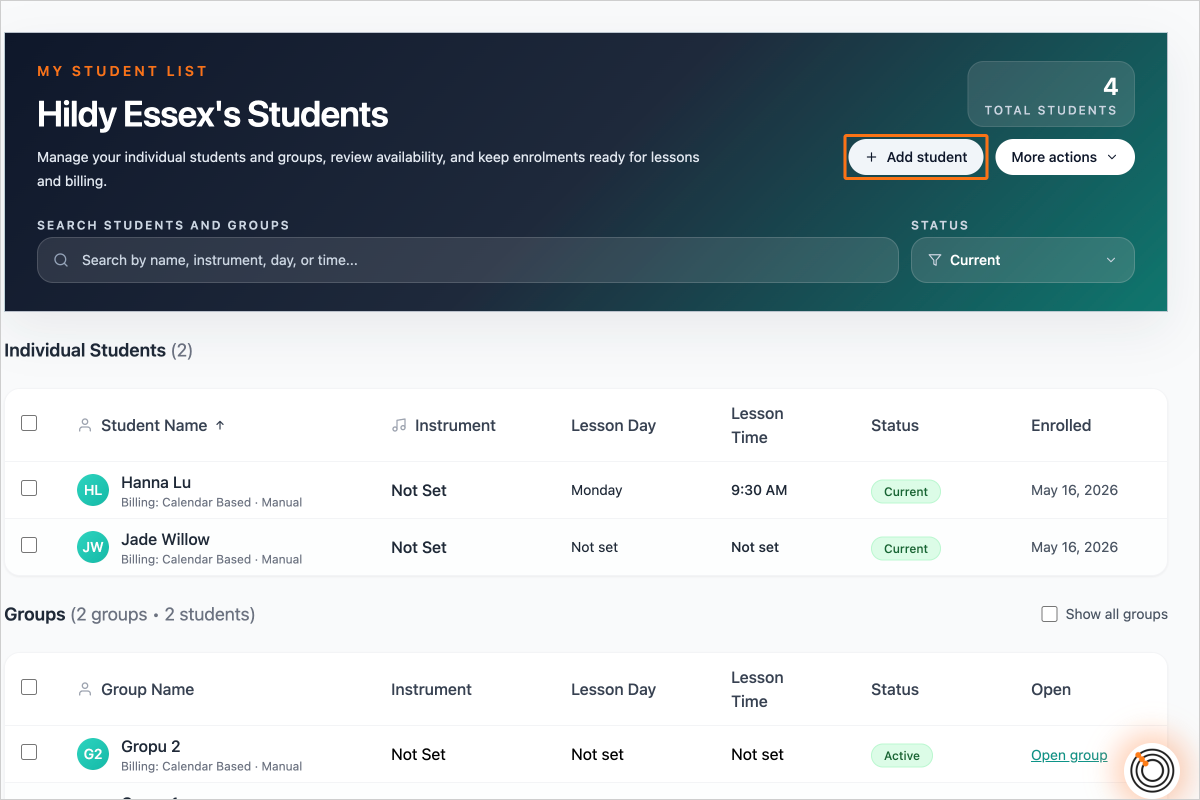
Step 2 — Click on the "Add Student" button
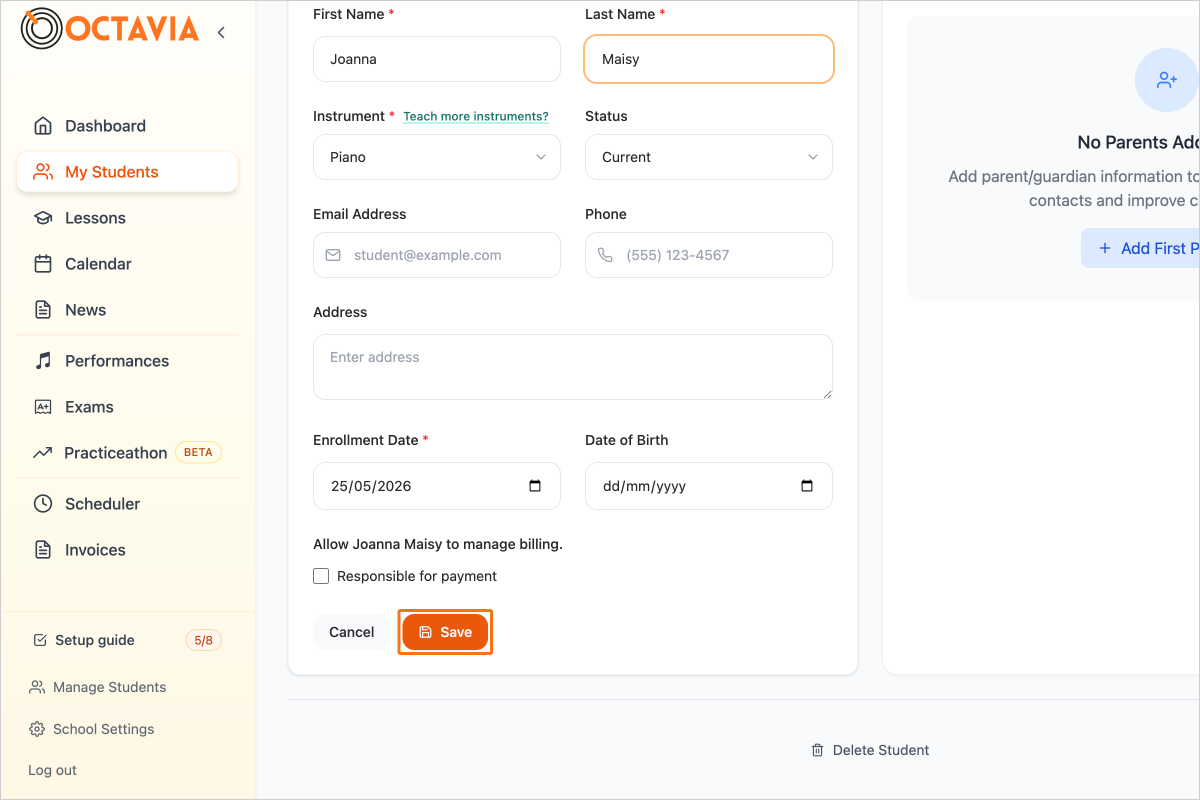
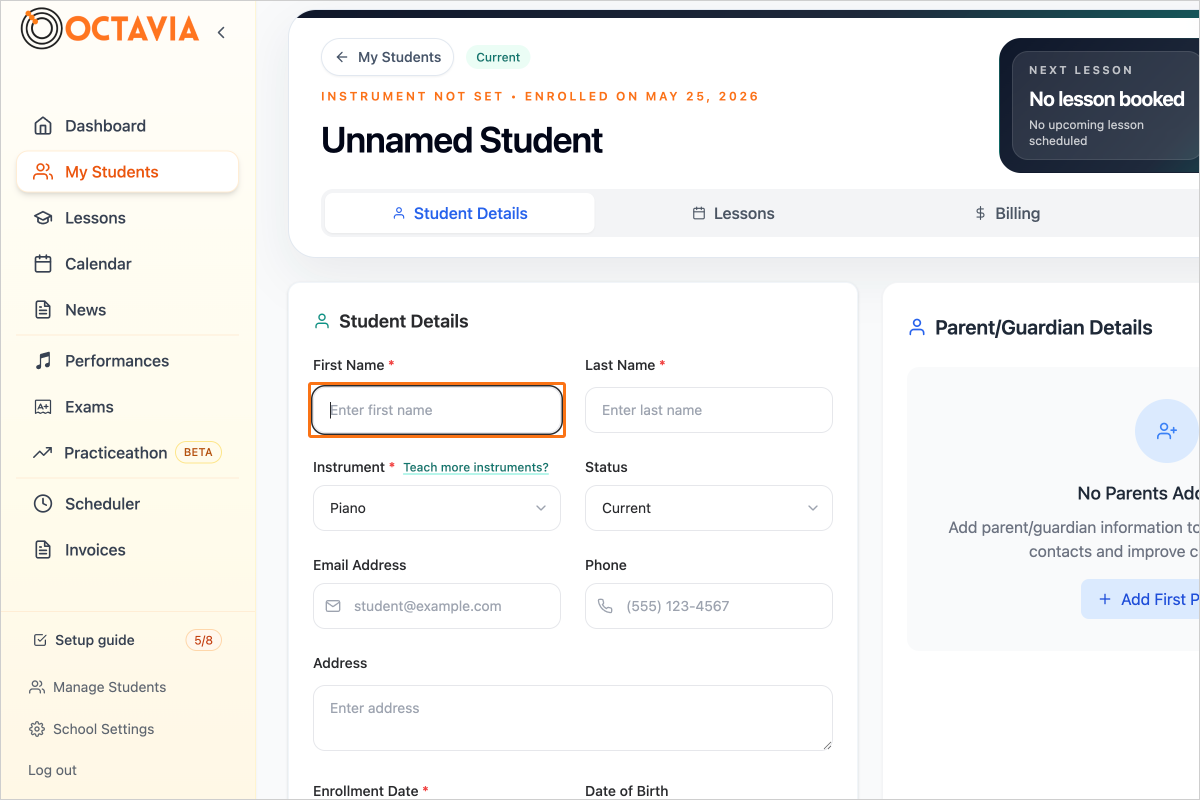
Step 3 — Enter the Student's First Name
Step 4 — Enter the Student's Last Name
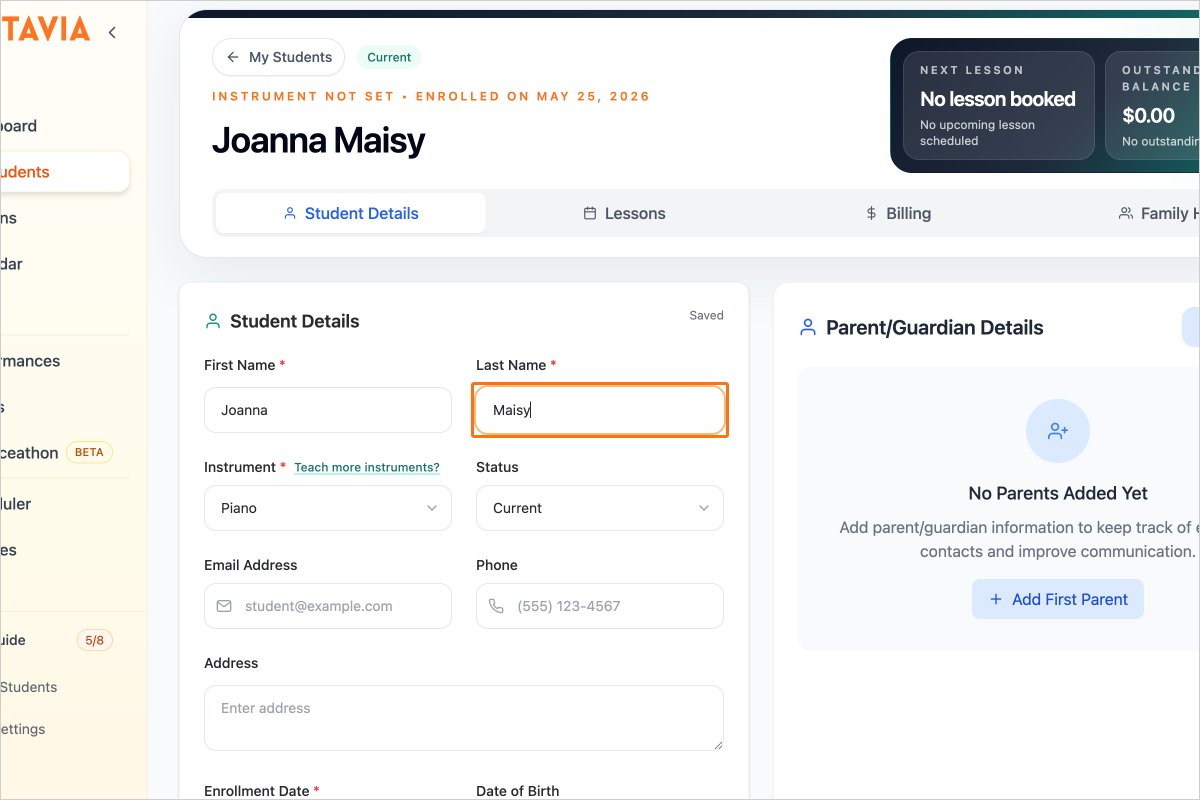
Step 5 — Save the Student Profile