
A home base for families and their music lessons
Attractive, intuitive, and everything in one place.
The Family Hub is a separate app where parents and students log in to stay connected to their lessons. Lesson notes, practice history, achievement badges, school news, invoices, and performance recordings — all through a beautiful, easy-to-navigate interface.
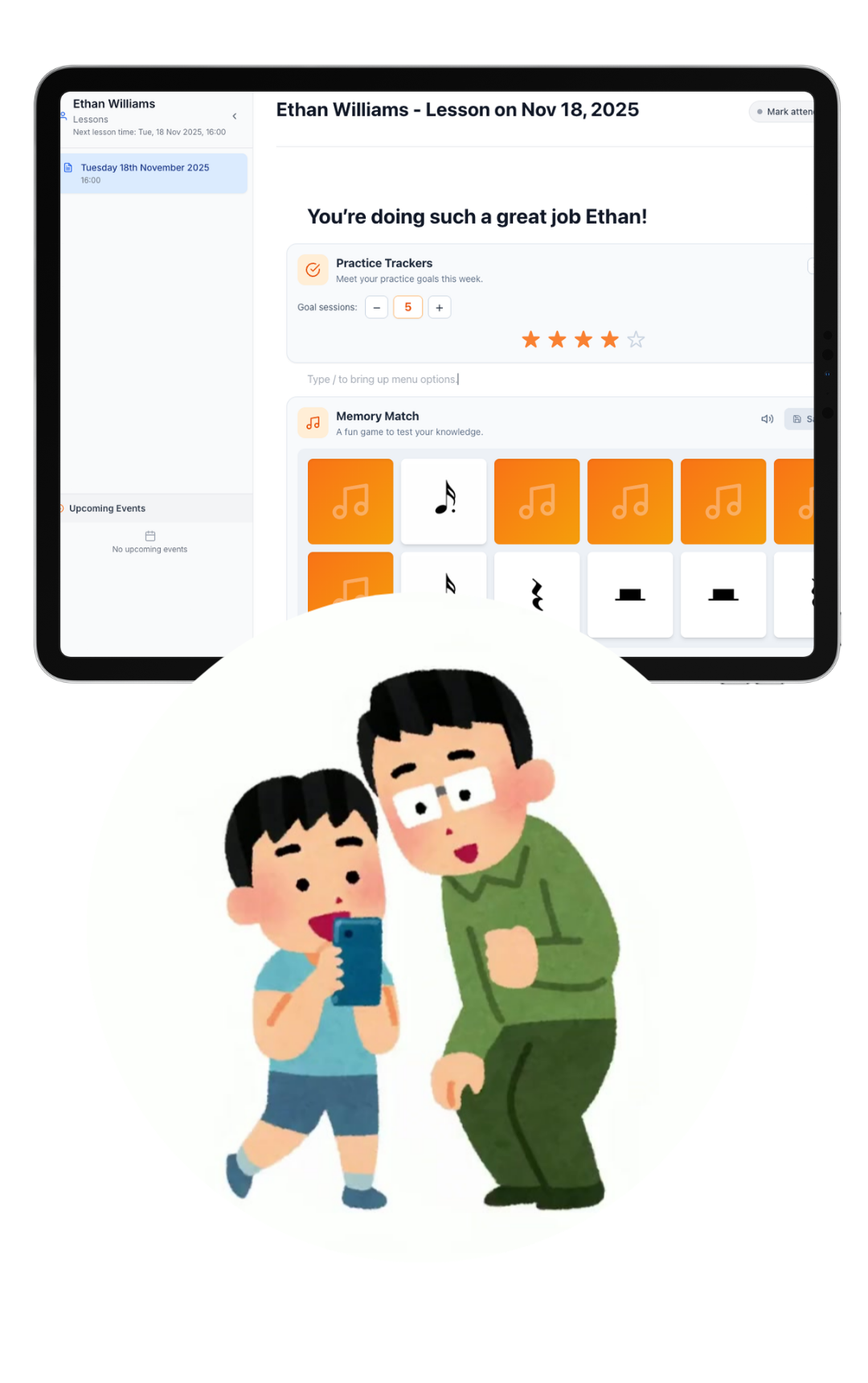
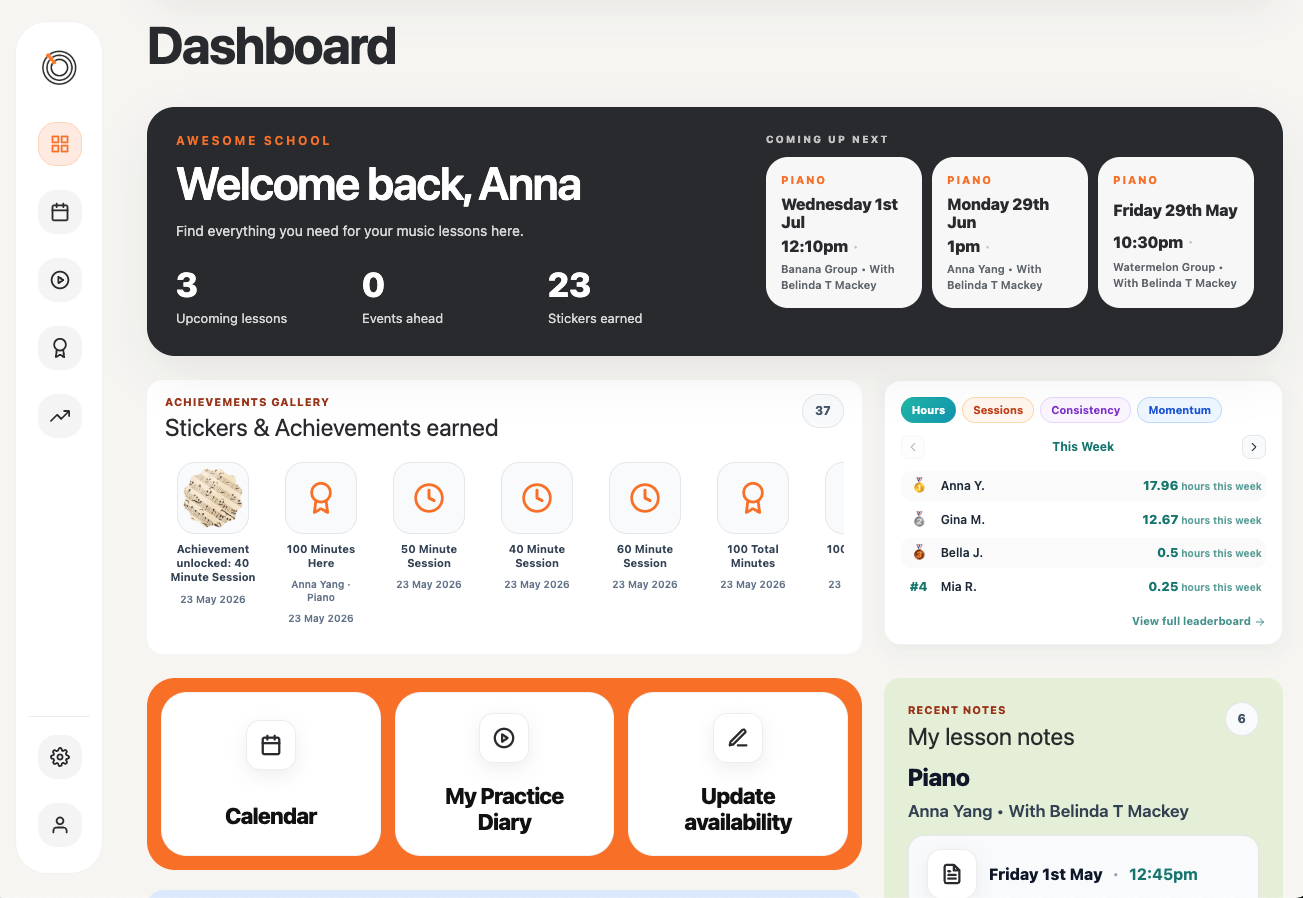
Their dashboard. Everything at a glance.
When they land on their dashboard they see all the most important actions they need to take, whether it's seeing their upcoming lesson time, viewing a past lesson note, logging a practice session, or paying a bill.
Everything is there and easy to take action.
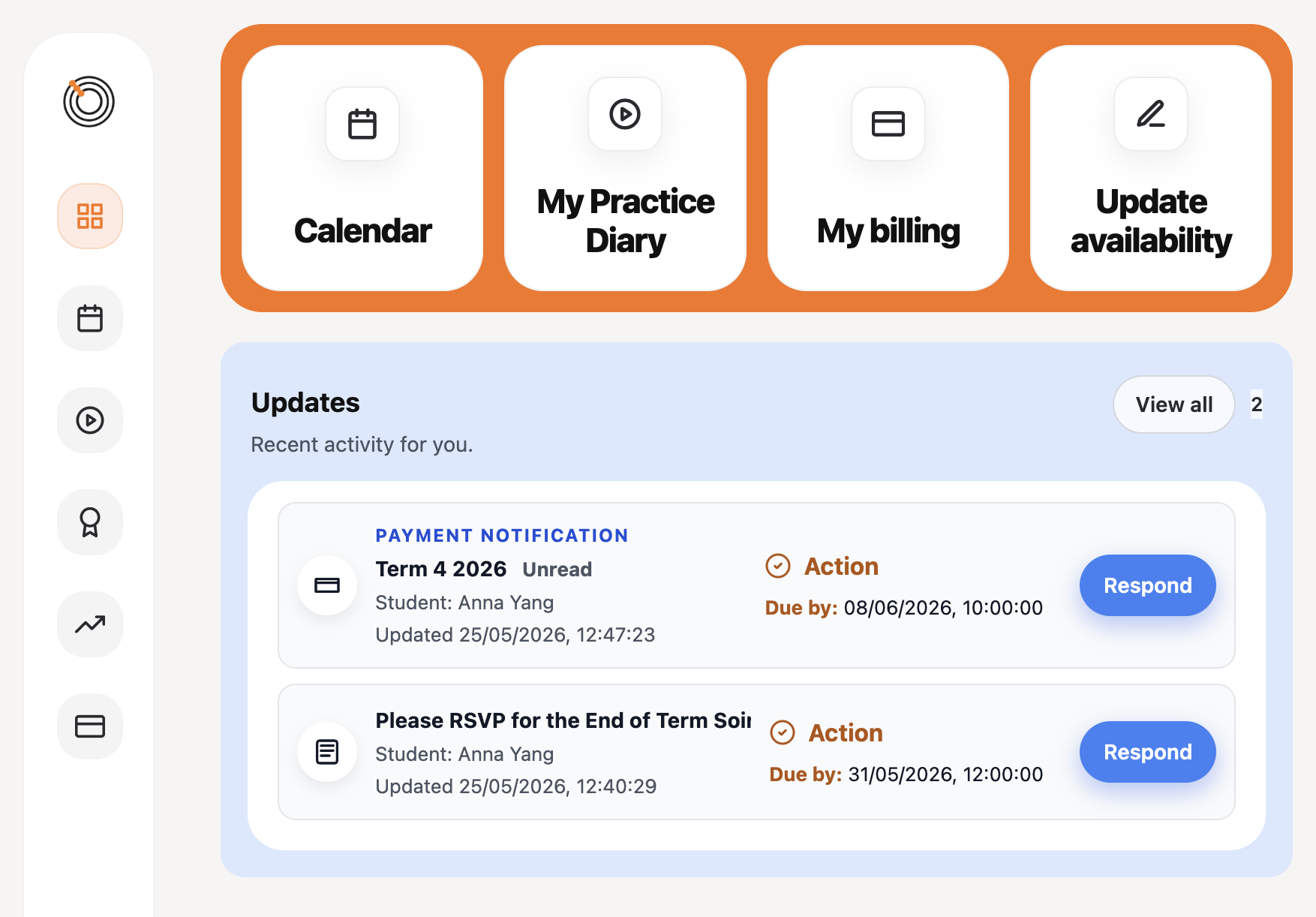
One feed. Everything they need to act on.
When a family opens the Hub, they see a feed — a chronological stream of things that need their attention or are there to keep them informed. News announcements, performance releases, invoices, recording requests, and availability confirmations all surface here automatically.
Items that require action — an RSVP, a payment, an availability confirmation — stay active in the feed until they're dealt with. Once actioned, they clear. Informational items stay as a record.
A parent linked to more than one of your students sees everything together, with items clearly labelled by student. Nothing slips through.
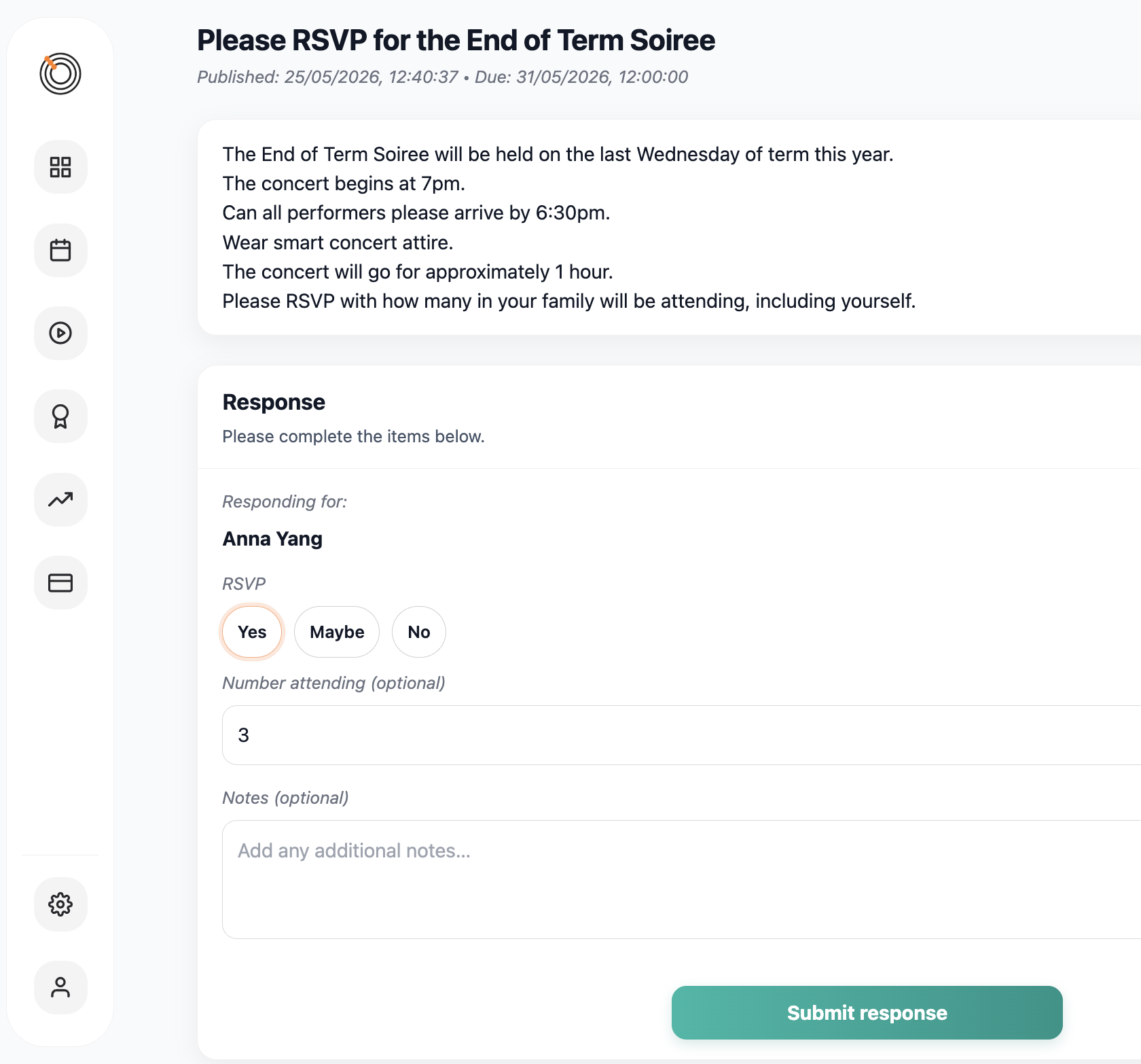
Send announcements. Collect responses. See it all in one place.
Publish a news item and it appears in the Hub feed of every family you've targeted. RSVPs, consent forms, dietary requirements, general acknowledgements — you build the response fields you need, and families fill them in right there in the Hub.
Items requiring a response stay active in the feed until the family submits. You can see in real time who has responded and who hasn't — no spreadsheets, no email threads, no follow-up guesswork.
Families can also update their response if you allow it. The most recent submission is always the one that counts.
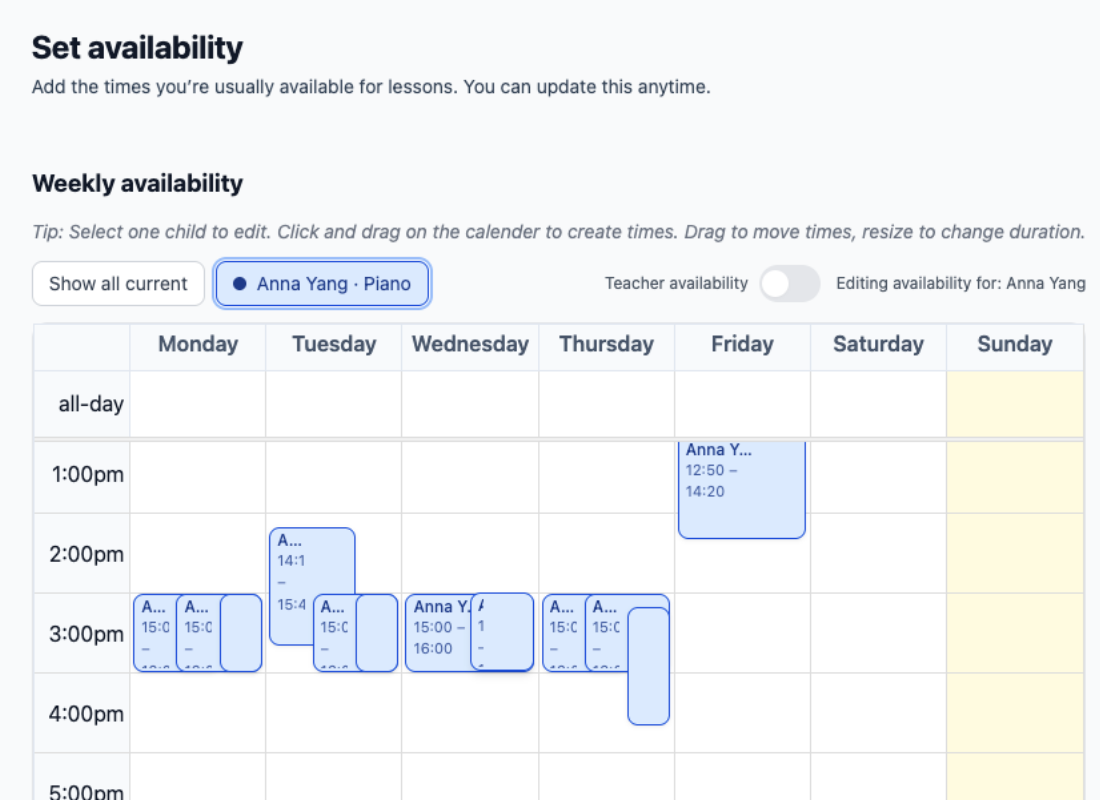
Confirm student availability without the back-and-forth
When you're scheduling or rescheduling lessons, send an availability request directly to a student's family. They receive an email, open the Hub, review the times they're free, and confirm — all in one place.
The request appears as an action item in their Hub feed and stays there until they confirm. Once they do, their availability data feeds directly into your scheduling view, ready for you to book.
A parent linked to multiple students can handle all their availability requests from the same page, confirming each student separately. No repeated logins, no separate emails.
Families can see their invoices and pay online
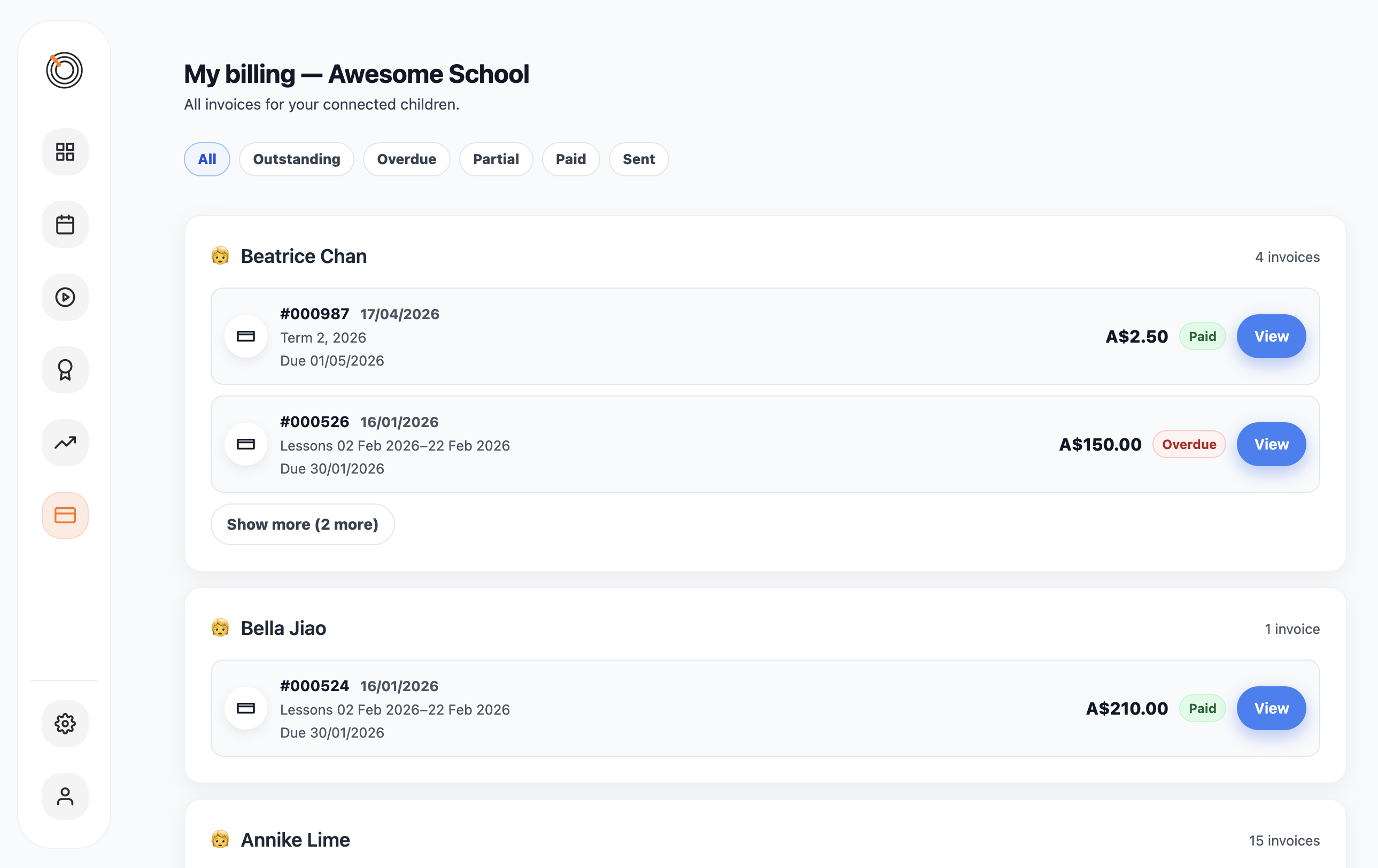
When an invoice is sent, a notification appears in the family's Hub feed. From there they can view the invoice detail — line items, total due, any payment history, and the current balance.
If you have Stripe connected and online payments enabled, families can pay directly from the Hub. One click opens a secure Stripe checkout page. Once they pay, the invoice updates automatically and a receipt is sent.
You choose per-student whether billing goes to a parent or directly to the student — useful for older or adult students who manage their own fees.
Share your students' performances with everyone who matters
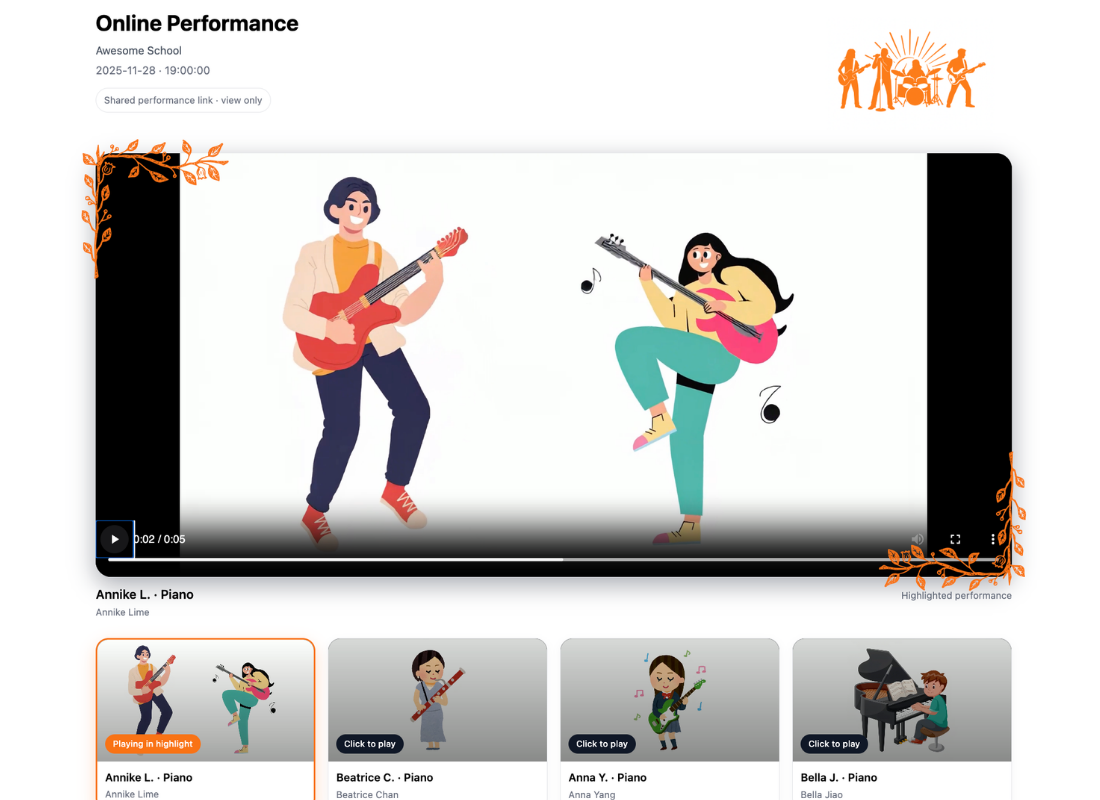
When you share an online performance, a notification appears in the Hub feeds of every linked family. They open the programme, see the full student listing, and watch recordings embedded directly in the Hub — no downloads, no separate links.
If you've asked a student or family to submit their own recording, a recording request appears in their feed. They upload directly via a secure link — no account required for that step.
Performances can also be shared via a public link for people who aren't in the Hub — grandparents, friends, or anyone else you want to include. One link, no login needed.
A walkthrough of the Family Hub
See how families experience the Hub — from the feed, to responding to news, to watching a performance recording.
Everything, in one place families actually use
The Family Hub brings together every touchpoint you have with students and families — communication, scheduling, billing, and performances — so nothing gets buried in email.
Give your families a front row seat
Set up the Family Hub in minutes. Invite a parent and they're in.